How can colleagues run a recurring evaluation without programming?
Publish the evaluation as a menu item. One person writes the automation script
once and registers it with auto_AddToUI(). From then on it appears in the
Reports menu of every UniPlot installation that uses the same script
folder. Users choose the report, select their data files and get the finished
page. They never see a line of code.
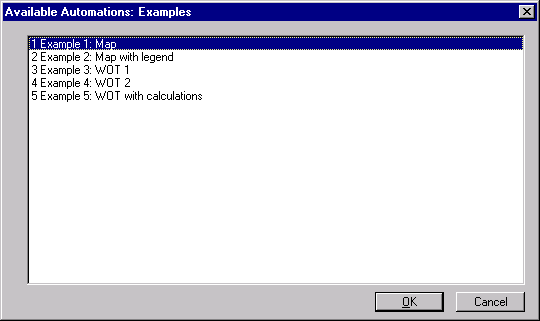
The Reports menu lists the registered automations of a category.
How it works
For the user:
Choose a category in the Reports menu and select a report.
Select the data files in the file dialog. Depending on the script, up to 16 files can be selected.
UniPlot opens the template, loads the data into the diagrams and fills in the header from the data file. If text fields are still missing, a dialog asks for them.
For the author:
Write the evaluation as a UniScript function in an IC file and save it together with the template (IPW file) in one folder.
Register the function in the same IC file:
auto_AddToUI("Examples", "Example 1: Map", "RS_Example1");
The first parameter is the menu category, the second the name shown to the user, the third the function that is called.
Add the folder under Tools=>More Options in the field Search Path for Automation Script Files. UniPlot loads all IC files of these folders at startup.
Why it helps
The person who knows the evaluation writes it once, everyone else just uses it.
Every report is created the same way, with the same layout and the same calculations.
No extra tool or launcher: the evaluations are part of the UniPlot menu.
Good to know
Every UniScript function name must be unique. Use a prefix for your functions, for example
abc_, and check existing names in the command window withwhat("abc_*").Several search folders can be given, separated by a semicolon. A folder on a network drive makes the evaluations available to the whole team.
For workflows that are built by clicking instead of programming, use the Sequencer, see How do I evaluate thousands of measurement files unattended, for example overnight?.