How can my colleagues create a test report with a few clicks, without programming?
Choose the report from the Reports menu and select the data file. UniPlot opens the template, loads the data into all diagrams, fills in the header data from the file and asks only for the texts it cannot find. Only the person who sets up the report writes a script; everybody else just uses the menu.
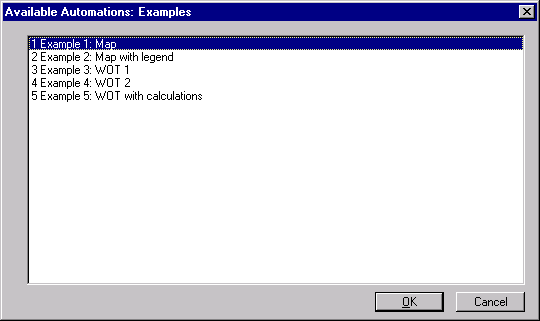
The available reports of the category Examples.
How it works
Choose a category from the Reports menu, for example Examples. A list of the available reports appears.
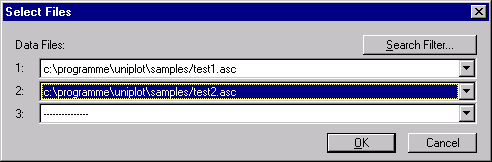
Select a report. A dialog for the data files follows; depending on the report, up to 16 files can be selected.
UniPlot opens the template, loads the data into the diagrams and inserts the header data.
A last dialog asks for the texts that are not in the data file, for example a comment. The report is ready to print, save or export.
Why it helps
A routine report takes a minute instead of an hour, and looks the same no matter who creates it.
New colleagues can create reports on their first day.
The person who maintains the report changes the template or script once, and everyone gets the new version.
Good to know
A report is added to the menu by one line in its script:
auto_AddToUI("Examples", "Example 1: Map", "RS_Example1"). The first parameter is the menu category, the second the name in the list, the third the function that creates the report. See How do I build a report template that I can reuse for every test?.UniPlot loads all scripts from the directories set in Tools=>More Options, field Search Path for Automation Script Files. A shared network directory gives everybody the same reports.
The same function can run in a loop over many files, see How do I create hundreds of PDF reports from measurement files automatically?.