Edit Object=>Pattern
Use this dialog box to specify the size, position, frame and fill attributes for a selected rectangle, ellipse or text drawing object.
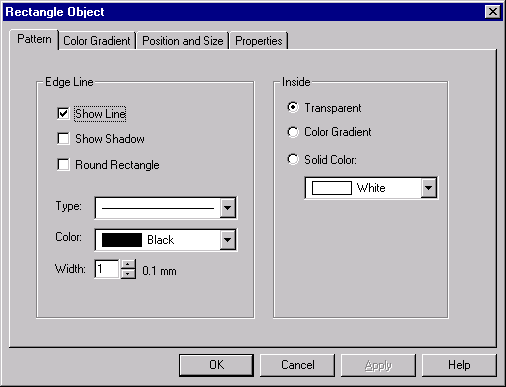
- Show Line
- Select this option if you want to frame an object.
- Show Shadow
- Choose this box if you want the object drawn with a shadow.
- Round Rectangle
- Select this box to draw a rectangle with rounded corners.
- Type
- Sets the line style for the frame.
- Color
- Specifies the color of the frame line.
- Width
- Sets the width of the line.
- Transparent
- Select this option if you do not want to fill the object.
- Color Gradient
- Select this box if you want to fill the object with a color gradient. The color can be set at the bottom of this field.
- Solid Color
- Fills the object with one solid color. The color can be set in the field below this button.
See also
Edit Object=>Text, Edit Object=>Color Gradient, Edit Object=>Position and Size, Edit Object=>Properties
id-174622