What’s New in UniPlot 3.3.0
This page describes the changes made to UniPlot 3.3.0 since version 3.2.2.
New Features
A formula interpreter has been added to UniPlot. The interpreter can be used to add new calculated channels to a given NC file.
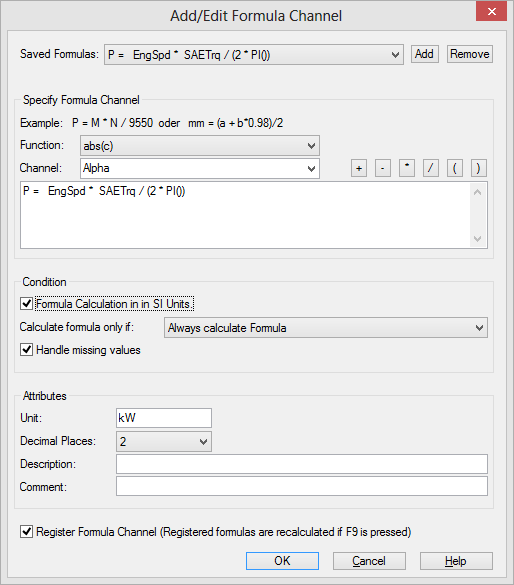
To find out more about this feature see Formula Interpreter.
UniScript is now available as a stand-alone program (see UniScript as a Stand-Alone Program).
A number of new UniScript functions have been added, e.g to program the data browser or to parse XML files.
Report: UniPlot now offers a function to create Excel report templates, see Report Templates.
New function: “Create Style”. To copy a style, right click on a x/y dataset to open the shortcut menu and select Create Style.
New function: “Datasource Information”. To open the dialog box right click on the dataset to open the shortcut menu and select Datasource Information.
New function “Channel Interpolation”. This function creates a new NC file from a file with different time channel groups, such as VS100/INCA files. Example: The file contains two time groups acquired with 10 Hz and 100 Hz. The function can now interpolate all channels to the 100 Hz time channel. A time channel with a different time, e.g. 50 Hz can be created. See Browser=>Interpolation.
To apply the function, open the Data Browser (File=>Import Data) and right click in the data grid to open the shortcut menu. You will find the function in the More Functions pop-up menu.
UTX-Filter: Date and Time channels can contain milliseconds. Example: 12:30:12.123. The milliseconds can be separated by a comma (,) or a period (.).
COM Interface: To program automation objects, one named parameter can be passed to the calling function. Example:
sheet1.Copy("Destination:=", sheet2.Range("A1")).
The parameter name is the first parameter followed by :=. The second parameter is the value.
Bug Fixes
The following bugs have been fixed:
- ffind: The function return a 0 based index instead of an 1 based index.
- system: The function did not work correctly. The help text has been modified.
- OLESaveToFile: A bug in the function has been fixed.
- FontGetHeight always returned positive font sizes. Negative font sizes specify the character height. Positive font sizes specify cell height. Normally font height should have a negative value.
- fopen: Error in documentation. If not othewise specified, files are opened in binary mode and not in text mode.
- Field Function: A closing brace
"}"was displayed at the end of the field function result. - ST_set: The ST_set function didn’t return the last element when called with real numbers. Example: ST_set([1,5,3,2,1,6,3]) return 1,2,3,5. Correct is 1,2,3,5,6.
- OLE In-Place Activation: If an object was activated by a double click, but the object was already opened in a separate window, UniPlot caused a memory violation fault (Error code 0xC0000005).
- Time/Date axes scaling: Sometimes the time/date in the axis parameter dialog box was not correctly interpreted.
- Waterfall Multi Channel Import: Instead of the multi-channel import the “Waterfall-Single-Cycle-Import” function was executed.
- Memory leak in nc_varput fixedt (8 Bytes * number of dimension of variable).
- nc_varid could fail if a variable had been renamed in data mode (see nc_redef/nc_endef) using nc_varrename.
- DialogBox: If a dialog box contained multiple report fields with callback functions only the first callback would be called.
id-476239