Processing Large Data Files
A number of functions have been modified to improve dealing with large data files. Large data files are files with more than two million data points and up to 2.1 billion data points per channel.
Note
Beginning with UniPlot R2013.4, the limit for reduced data files has been set to 4,000,000 data points for the 64-Bit version. The limit for the 32-Bit version is still 2,000,000 data points. The limit can be changed with the following command:
WriteProfileInt("Settings", "data-reduce-limit", 8e6)
Valid range is between 2e6 and 32e6.
The following command will set the limit only temporarily:
_g()._data_reduce_limit = 8e6
In older UniPlot versions all data points were loaded into the document. This worked without problems up to 2 million points and with some restrictions up to 10 million data points.
Beginning with UniPlot R2012 large channels with more than 2 million data points are reduced by a factor of 1000.
The channel is split into sections of 2,000 points. For each section the maxima and minima are calculated and saved in the reduced channel.
The reduced data will be saved in the nc_reduced attribute, see
nc_varinq_info. Up to UniPlot R2015.3 the reduced data was saved in a
separate file with the file suffix -red.nc2.
Example
Open the command window and type in the command
make_big_nc2_file(). A file with 59 million data points is saved in your UniPlot user directory and displayed in your data browser window.Choose Type =
1D: y/tand drag the channel pzyl_1 into a page or click on the Load button.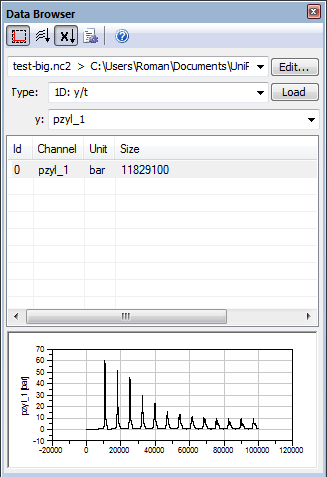
If the Autoscale is selected a new file with the reduced data (59,000 points) is created and and the reduced data is loaded into the dataset.
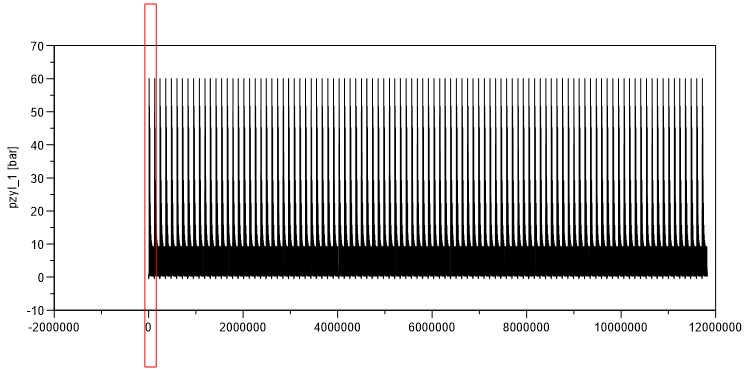
Use the
 to zoom into the data. If you click on the
 button the entire curve will be displayed.
The following figure displays a section of the beginning of the data. Because the number of data points is smaller than 2 million points the data from the non reduced file is displayed.
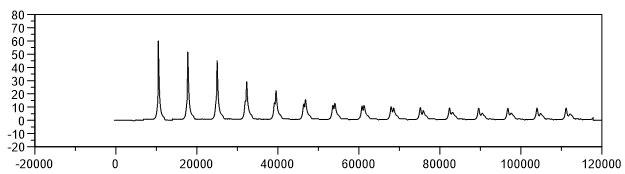
If you increase the x axis range the data is loaded from the reduced file as soon as 2 million points are reached.
Hints and Limitations
For x/y curves with more than 2,000,000 points the x channel data must be strictly monotocic increasing. This limitation does not exist for datasets with less than 2,000,000 data points.
The maximum number of data points is 2^31-1 (2,147,483,647). For this number the reduced data file contains 2,147,484 data points.
netCDF data files will be converted to UniPlot data files (nc2).
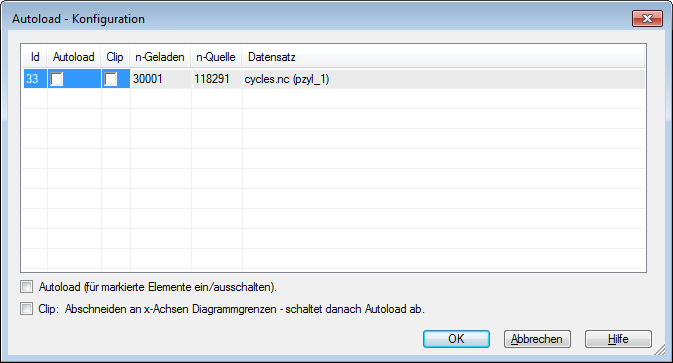
If a file contains channels with more than 2 million data points a reduced file will be created. It contains all channels with more than 2 million points but reduced by the factor 1000. To be able to create the the reduced file UniPlot needs write access to the data directory.
See also Toolbar=>Scaling.

See also
See also
Overview XY-Datasets, Overview Data File Informations for Datasets, Overview UniPlot Data Files, XYReload, NC_CreateSampleReduction, auto_ImportData, Toolbar=>Scaling
id-426410