File=>More File Functions=>Excel Report
Inserts data into an MS-Excel template.
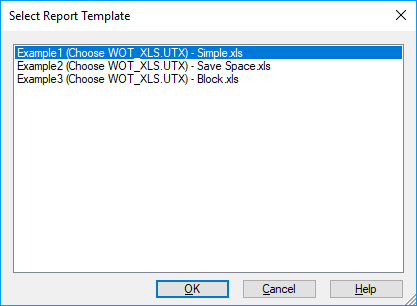
The dialog box displays a list of all available Excel templates which are found
in the UniPlot\template\report\ directory or in a directory which is
specified in the Tools=>More Options dialog box. The file names are listed
without extension.
The Excel template can have multiple sheets. Each sheet contains placeholders which will be filled by UniPlot. The template also contains the complete layout. The XLSREPORT_CreateFromTemplate function help text contains information how to create an Excel template.
After you selected a template a file open dialog will be displayed to select a data file.
For the example template included (Example1 (Choose WOT_XLS.utx)) there is
an accompanying data file wot_xls.utx that you will find in the directory
UniPlot\samples\automate.
To execute the command, do the following:
- Choose File=>More File Functions=>Excel Report.
- Select a report from the list and click OK.
- Choose the file name from the file open dialog box and click OK to create the report.
Comment
This function works only with MS-Excel 97 or higher.
id-1536557