File=>Send to PowerPoint
This command inserts the selected pages of the active document as EMF files into a PowerPoint document. PowerPoint must be installed on your computer.
To invoke this function, right click outside the page or on the page tab and
select the command Export=>Send to PowerPoint from the pop-up menu.
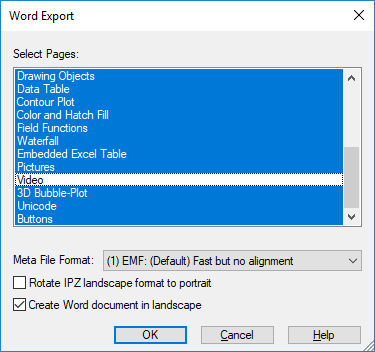
Select Pages
Lists all pages of the active document. The selected pages are exported. Hold down the Shift key to select a range of pages and hold down the Ctrl key to select a single page.
Portrait and landscape pages should not be mixed because PowerPoint can only create documents with one slide format. If no template is selected, the first selected UniPlot page sets the slide format.
- Meta File Format
- Sets the format used to create Windows Meta file.
- Use PowerPoint Template
- If this option is set, the specified PowerPoint template is used.
- PowerPoint Template File
Sets the complete file name of a PowerPoint document (ppt or pptx).
To create a template you must use PowerPoint. The template can contain multiple slides. The last slide is used to insert the UniPlot page. This slide should contain a text object with the text
UniPlot-Frame. The text object sets the position and size of the UniPlot page.If the PowerPoint template contains a text object with the text
UniPlot-Page-Title, UniPlot will replace the text with the page title displayed in the UniPlot document.An example is located in the
UniPlot\Templatedirectory. The template file has the nameUniPlot_landscape.ppt.
Comment
The pages are exported as EMF files. EMF files (Enhanced Metafile) are
vector graphic files. The EMF files are saved in the PowerPoint (PP)
document and are marked as linked as well. The text
::uniplot::<page name>::<file name> is saved with the picture in the PP
document. The text enables UniPlot to update the picture when the
IPZ document has been modified, e.g after a data exchange.
Update PowerPoint document
Open the PP document with PowerPoint. The document must be active in PowerPoint.
Choose Export=>Update Active PowerPoint Document. It is important that
you do not modify the page names in UniPlot after you have created the
PP-Document. If the page name from the PP document is found in the UniPlot
document, the EMF file is created and loaded into the PP document. After the
picture is updated the EMF file is deleted.
PP documents created with UniPlot older than R2017 cannot be updated. The documents must be recreated.
History
| Version | Description |
|---|---|
| R2022.4 | Now supports export as BMP (resolution 200dpi) for graphs with high number of points that are slow to load. |
| R2017 | The inserted pages will be marked as UniPlot pages in the PowerPoint document. This enables UniPlot to update the graphics in PowerPoint. |
| R2013.2 | Fixed bug: The size of the template object UniPlot-Frame was not used
correctly to calculate the size of the UniPlto page, if PowerPoint 2010
was used. |
See also
id-166508