File=>Edit Alias Table
This command can be used to edit the alias table of an IPW document.
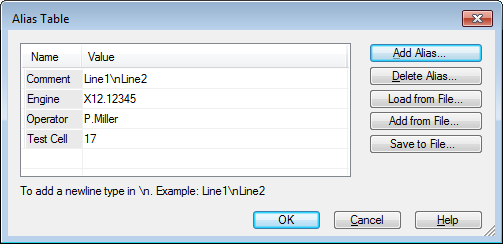
- Alias
- List of available alias elements.
- Text
- Text of the selected alias. To insert a newline character add the
characters
\ninto the text.
- Delete Alias
- Remove an alias from the table.
- Add from File
- Add alias elements from a file. Alias values will be replaced.
- Load from File
Loads a saved alias table.
The alias data can be saved in an Excel File. The text
UniPlot-Alias-Tablemust be inserted in cell A1. The cell B1 contains the file name that will be used to save the data as an uat file. The file will be saved in the same directory as the Excel file. The alias is specified in row 2 and the following rows. Column A contains the alias name and column B the alias value.Example:
Column A Column B UniPlot-Alias-Table Engine x123 Title WOT Test Injection Bosch 123 In column C and the following columns more alias values can be specified. In this case the data is saved in an uat file with the file name specified in cell C1, etc.
- Save to file
- Save the alias table in a file.
Comment
To add an alias to the active document choose Diagram=>Insert Field Function to open the following dialog box:
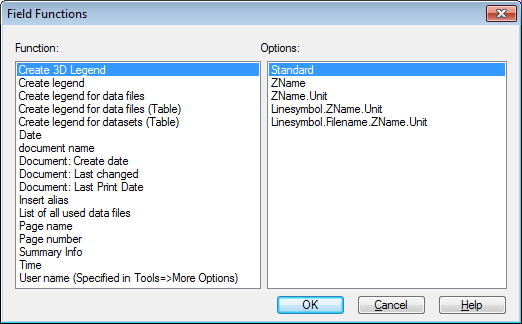
Select Insert Alias from the left list box and choose an alias from the right options list.
id-1295389