Data=>Edit Function List
The function parameters can be modified with the help of this dialog box. For example the dataset names of the DependOn function can be edited.
To open the dialog box right click on a curve and choose the Data=>Edit Function List command.
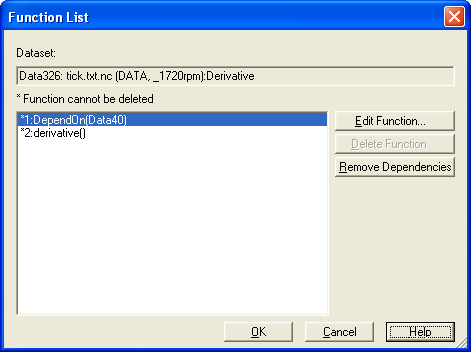
DependOn: The parameter of this function are dataset names separated by a comma. If the dataset names have been modified or the datasets has been moved to a different page, or a page name has been changed, the page name can be added to the dataset name separated by a colon, for example Data1:Page2.
Click on the Edit Function… button to edit the link:
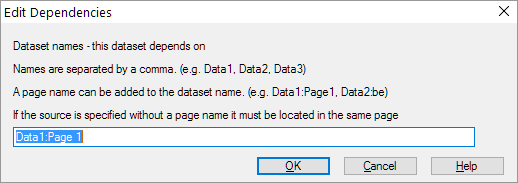
Normally, the link will be automatically updates if the page name or if a dataset name ismodified.
If the curve cannot be right clicked, the parameters can be edited using the UniScript command window. Read the dataset handle from the status bar and type in the following command:
_DS_FuncListDlg(204)
The 204 is an example for a dataset handle.
See also
id-764309