What’s New in UniPlot 5.10.0
This page describes the changes made to UniPlot 5.10.0 since version 5.9.3.
Enhancements
Formula-Interpreter: Channels with different time rasters (e.g. 10 Hz, 100 Hz) can be used in formulas for MDF files (INCA), Famos files and ASAM-ODS Record files. The channels are interpolated onto the time base of the first data channel. See Formula Interpreter 1 - Introduction.
ExcelRead3: The function has been extended. The function can return the number format and time/date format. To control the return value, a new parameter has been added. The new function is used by the Excel import filter.
New Options: 2D Bars can be plotted above the grid lines. The autoscale function can add extra space so that the curve does not start or end on the diagram border. The options can be set globally in the Tools=>More Options dialog box in the group “Diagram”.
LayerAutoScale: The labels will be displayed in exponential notation only for values greater than 1e10.
Addin 3D Classification of a XYZ-Dataset: The classification results are written to the Windows clipboard as well. The data can be inserted into other documents, e.g. Excel.
Reading and Writing of MATLAB files (see Overview MATLAB Files).
Import of MATLAB files (see Import of MATLAB Data Files).
The structure of UniScript Objects can be displayed in the command window:
* o = [. val = 1.2, imag = 1+2i, test="Hello"]
* o
[.
    imag = 1+2i
    test = "Hello"
    val = 1.2
]
object (obj at 0xF45BE4)
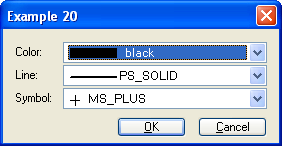
DialogBox: New combo box to select color, symbols or line styles.
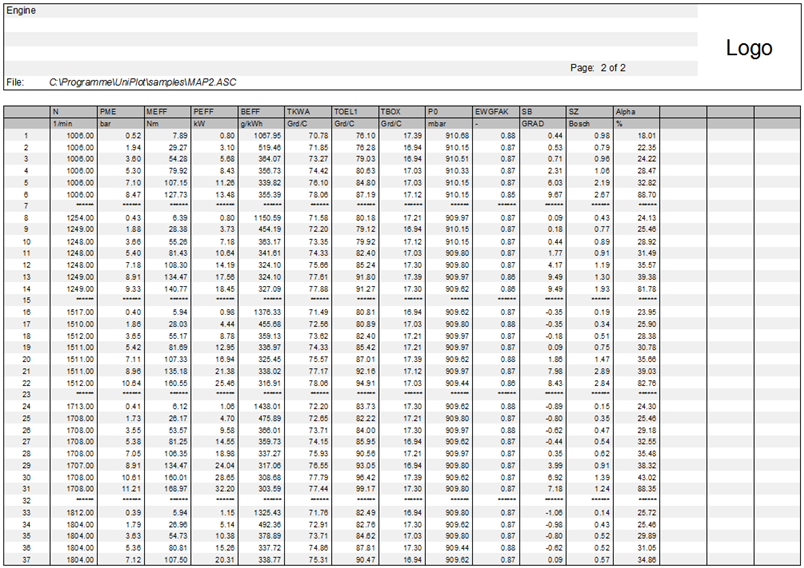
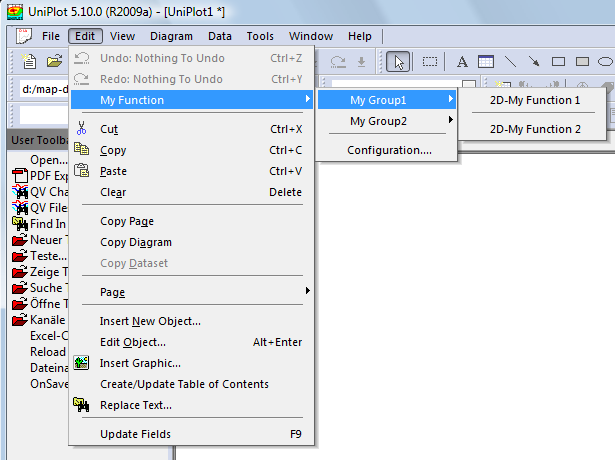
- File=>Create Data-Table: New function to create data tables:
Updates User Interface
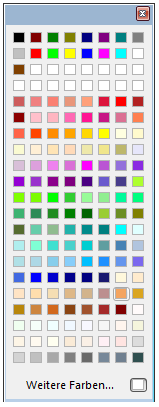
So far only 32 colors could be defined. 16 fixed colors (the so called VGA colors) and 16 user defined colors.
In UniPlot 5.10.0 168 colors are defined. The first 16 colors are the old VGA colors, followed by 16 user defined ()colors and the new colors taken from the SVG (Scalable Vector Graphics) standard.
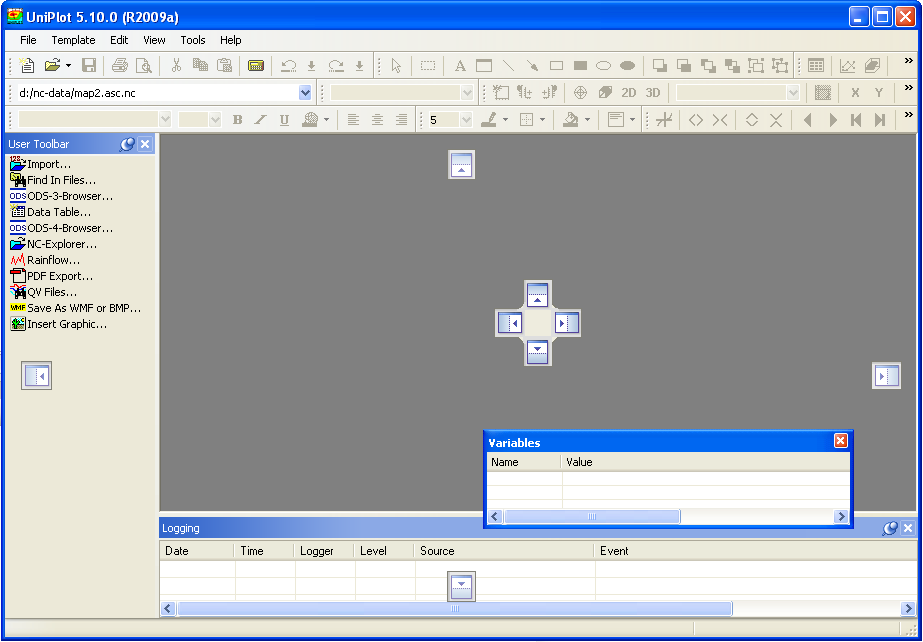
The Event Window can be set to auto hide or can be docked to the bottom or top of the window. The new docking mechanism uses small markers to indicate sides where the bar can be dragged and docked.
In Full screen mode the main menu is displayed.
The Rich-Text-Format (RTF) editor has been removed.
The number of commands in the User-Toolbar no longer limited to 32.
The Font Combo Box displays the font names using the corresponding font.
OLE-Objects cannot be activated in place any longer. For better stability the application is started in a separate window.
New function to add a popup menu (see MnInsertPopup).
New UniScript Functions
| New Functions in UniPlot 5.10.0 | |
|---|---|
| @f{cursor_value} | Displays the x- or y-value of a 2D dataset at the cursor position. |
| AppGetToolbarInfo | AppGetToolbarInfo returns a matrix with toolbar names and an information if the toolbar is visible. |
| AppGetUserColorTable | The function AppGetUserColorTable returns a vector with 16 user colors. |
| AppSetToolbarInfo | AppSetToolbarInfo switches toolbars on or off. |
| AppSetUserColorTable | The function AppSetUserColorTable sets the user colors. |
| MnInsertPopup | MnInsertPopup inserts a new popup menu into a menu. |
| matlab_load | matlab_load loads a MATLAB file (mat file) into a UniScript object. |
| matlab_save | matlab_save saves a UniScript object in a MATLAB file (mat file). |
| nc_dimredim | nc_dimredim modifies the size of a dimension. The NC2 file must be set to define mode (see nc_endef/nc_redef). |
| nc_varinq_changed | nc_varinq_changed returns the change counter of a netCDF variable. |
| uuid | uuid returns a Universally Unique Identifier (UUID) as a string. |
Modified UniScript Functions
The changes are listed in the history table at the end of the function description.
| Modified Functions in UniPlot 5.10.0 | |
|---|---|
| @f{legend} | Creates a legend for 1D and 2D datasets. |
| DialogBox | DialogBox creates a dialog box with static text, edit fields, list boxes, combo boxes, check boxes, a report list (list with multiple columns), a property list box, a group box, tree control and buttons.The dialog box can be configured to be resizeable (see Dialog control |F @ xxx_callback|). |
| EdCreate | EdCreate creates a new editor. |
| ExcelRead3 | ExcelRead3 reads MS-Excel files (.xls). |
| FileToField | FileToField reads a text file (ASCII file and UNICODE file with BOM) where the elements are arranged in rows and columns. The elements can be text, numbers and blank fields. |
| IsFileIPW | IsFileIPW checks if a file is a UniPlot file (IPW or IPZ). |
| IsFileText | IsFileText checks if a file is a text file (ASCII File). |
| RegisterFunction | RegisterFunction registers a function from a dynamic link library (DLL) to the UniScript symbol table. After a function is registered, the function can be called directly by UniScript. |
| fgetline | The fgetline function reads a string from the input file and stores it in a string. |
| obj_load | obj_load loads an object saved with obj_save from the hard drive. |
| obj_save | obj_save saves an object as an XML file or as an binary file on the hard drive or as a string. |
| version | version returns the version string or version number of UniPlot. |
Bug Fixes
The following bugs have been fixed:
- (ID954): fgetline could not read UNICODE files. The function can read UNICODE files if the file contains a BOM (byte order mark). The file must be opened with (see fopen) in text mode.
- (ID1969): ASAM-ODS Browser (RPC) Because of a bug, UniPlot could not access the ASAM-ODS data base of AVL-Puma Version 1.4.
- (ID1984): XYSetData and TYSetData: The functions could not set data with only one data point. The error occurred in the data exchange function.
- (ID1985): Data=>Data Exchange (Document), Data=>Data Exchange (Page): Before the data is exchanged, all datasets are set to 0-points. The “Ignore File” options has been corrected. The option caused an error if selected for the first data file. Another error occurred if the first data file did not contain any channels needed for the data exchange.
- (ID1987): ASAM-ODS Browser (CORBA) The first data base access failed because the password was not set correctly. After the error message the login dialog was displayed. This bug has been fixed.
- (ID1988): Diagram=>X/Y/Z-Axis=>Parameters: Sometimes the delta value was not displayed with enough decimal places. Example: Start value = 500, End value = 505, Delta = 0.5. The delta value was displayed as the value 1 (rounded to 0 decimal places). Now the value 0.50 will be displayed.
- (ID1990): The multi channel import did not save the data source information. The function did not handle missing values and did not handle record filters. See File=>More File Functions=>Waterfall-Multi Channel Import.
- (ID1994): In UniScript the font size had to be specified as a negative number. Now all font sizes are converted to negative numbers automatically.
- (ID2016): 3D-Dataset: If all data points of a 3D-dataset were lying on the data hull, the hull was not closed if the “Entire Hull” option was selected.
- (ID2017): IsFileText always returned FALSE (0) for UNICODE-files (utf-16, utf-16-le).
- (ID2018): Text-Editor: The editor did not load UNICODE files.
- (ID2019): Text-Editor: During loading of text files the display flickered.
- (ID2020): Text-Editor: Long lines of text were wrapped, even if wrapping was switched off.
- (ID2025): FileToField could not handle UNICODE files. Now the function can read UNICODE files containing a BOM (byte order mark).
- (ID2026): Sometimes the text_file_write function did not write the BOM (byte order mark) correctly.
- (ID2034): Dialog Box=>Data Filter: The values in the dialog box were not initialized with the specified value if the value was out of range of the corresponding channel. Example: rpm > 2000 AND rpm < 10000. The value 10000 was replaced with an empty string if the data range of rpm was smaller than 10000.
id-1820057